A month-by-month retrospective on 2019 and how moving from a calendar-shaped to-do list to shared, categorized, weekly scheduling improved the way I managed my own time and coordinated with others.
Hello,
I am Sanghyo Yee, a product designer at the startup Buzzvil. At the turn of the year, I decided to look back on 2019 through my digital calendar for three reasons:
- My use of a personal calendar improved dramatically in 2019.
- I wanted to share a systematic approach with people who, like me, had not known how to manage schedules this way.
- Most entries are completed events, making it easy to see what I actually did.
Leveling up my calendar practice
2015–2018
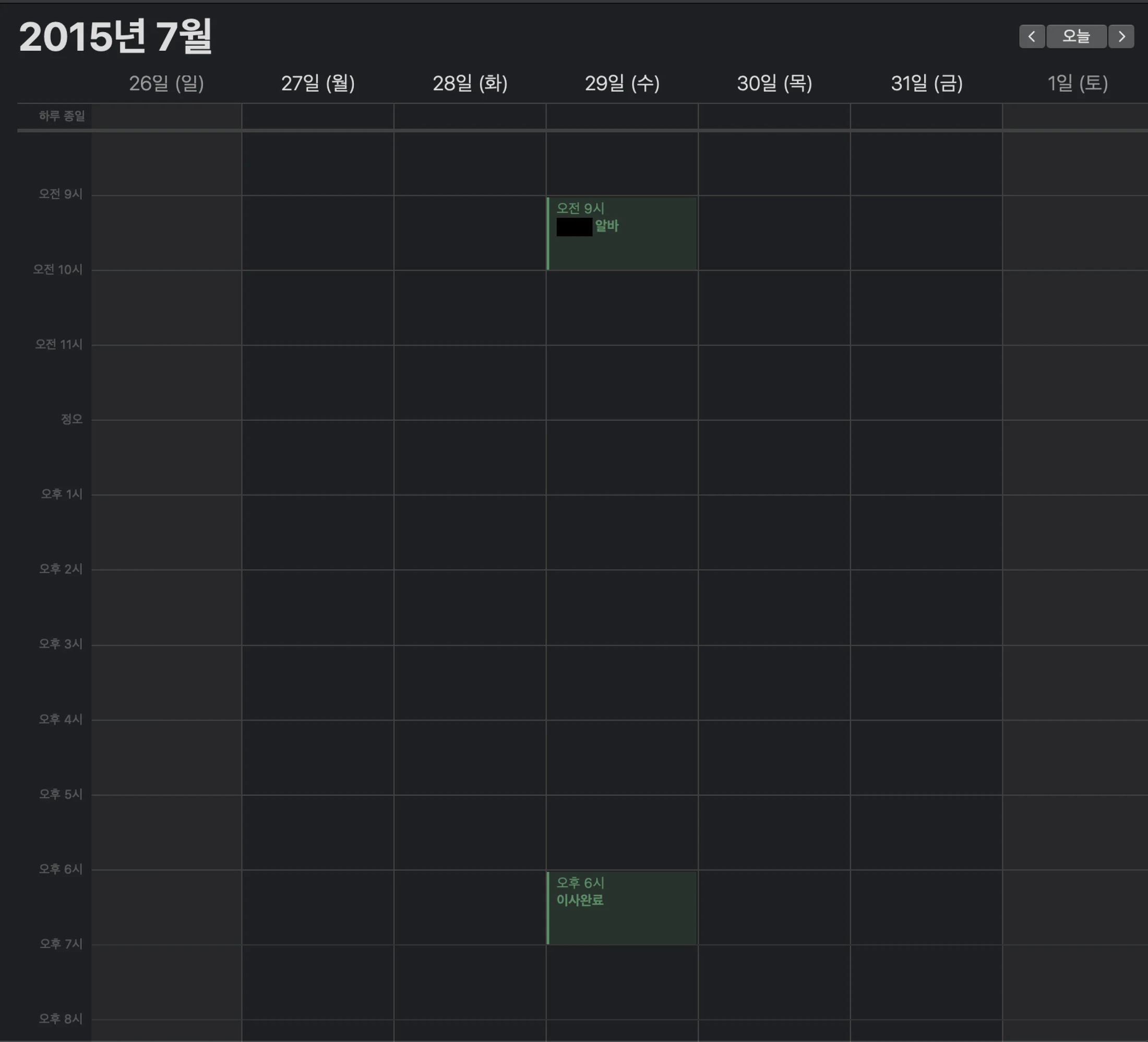
I began using a MacBook and iPhone in 2015 and was already comfortable with Apple Calendar because the devices synchronized well. Simply noting a date and setting an alert was useful: my synced iPhone would remind me on the morning of the event.
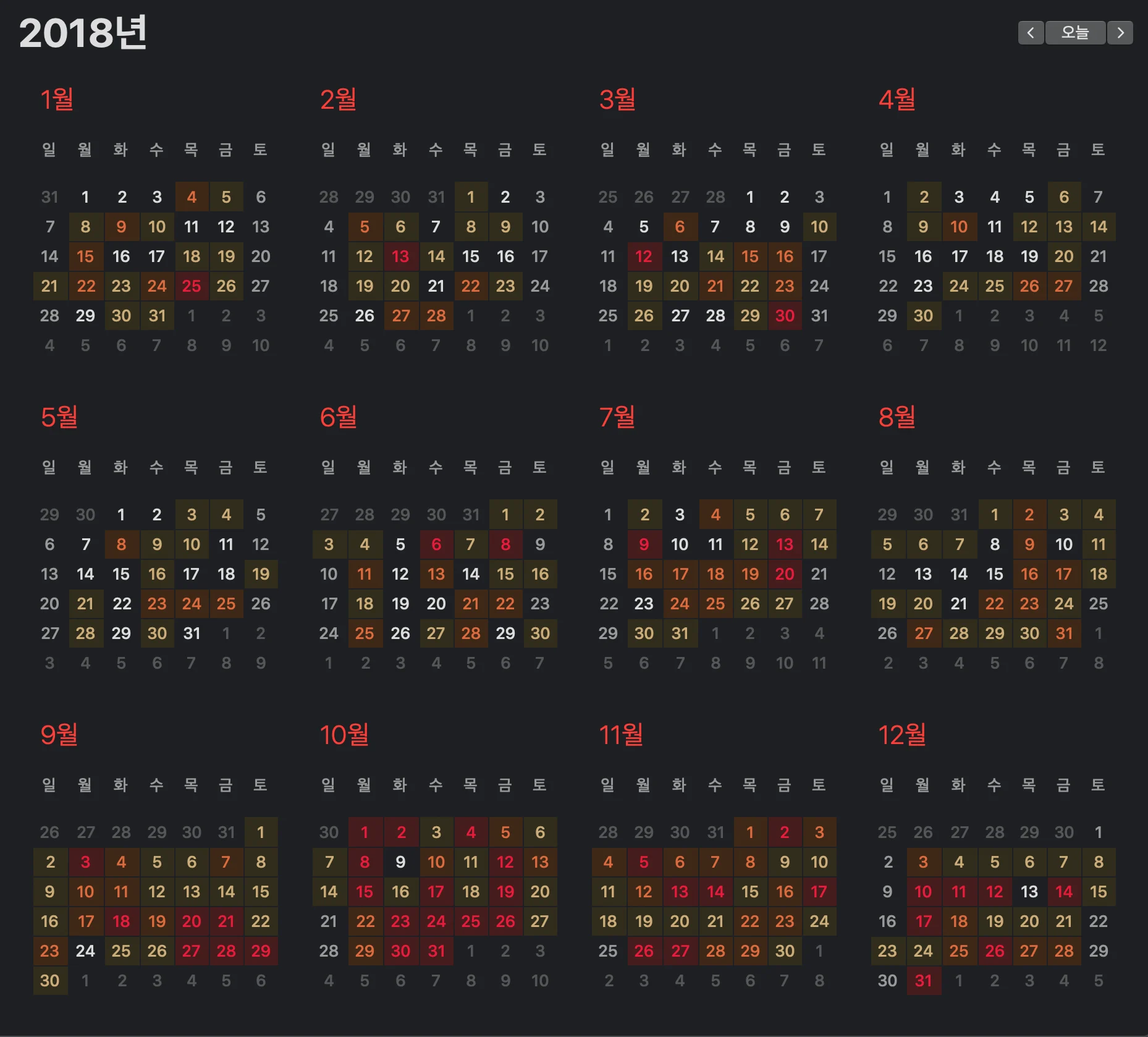
Looking back, though, I think I used the calendar like a to-do list until 2018. I recorded major checklist items, but the calendar did not tell me exactly when I would do each task.
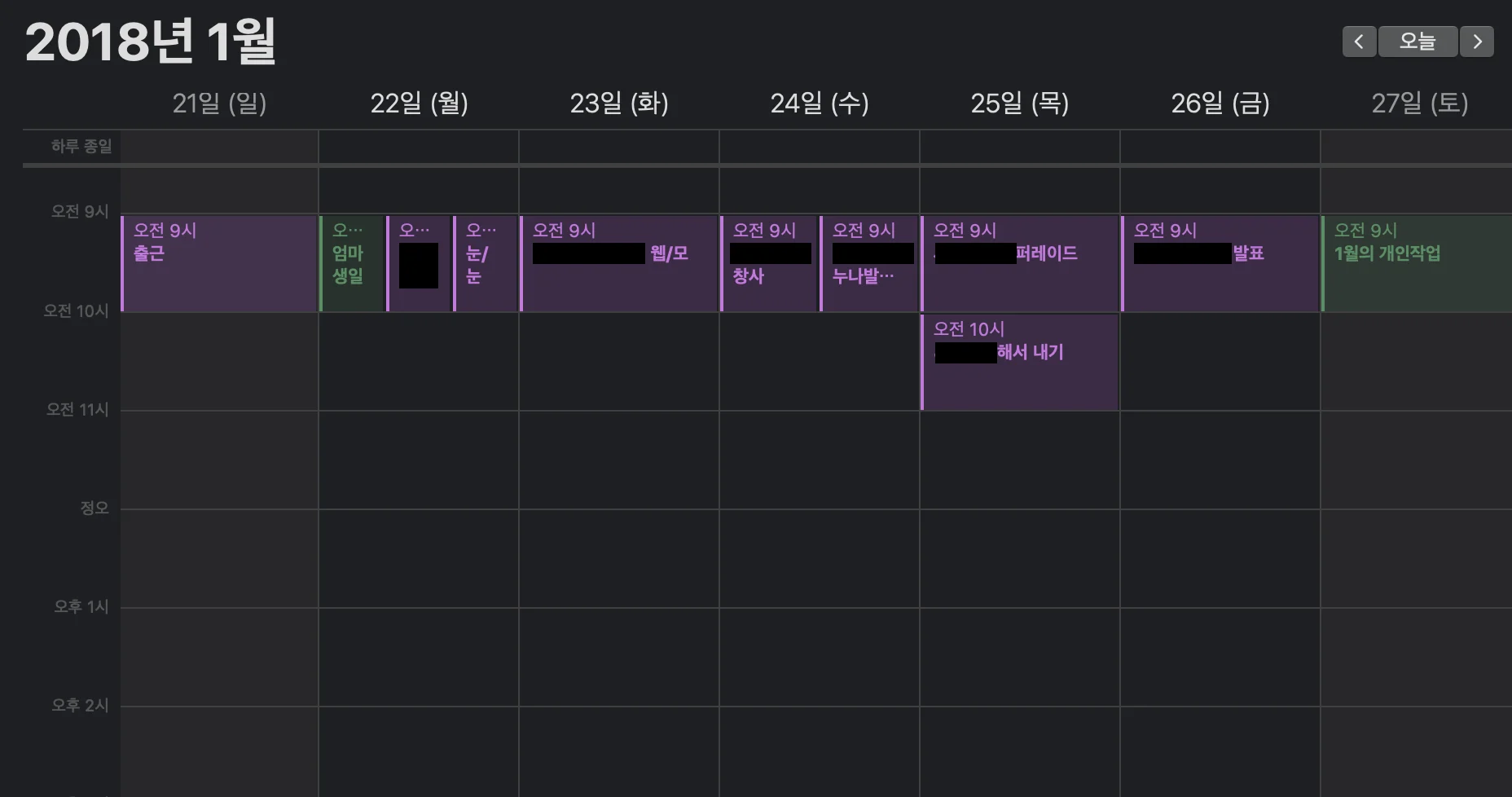
- If no time is entered,
Apple Calendarschedules an event at9–10 a.m.by default. Used as a simple daily notebook, it produces a picture like the one below.
2019
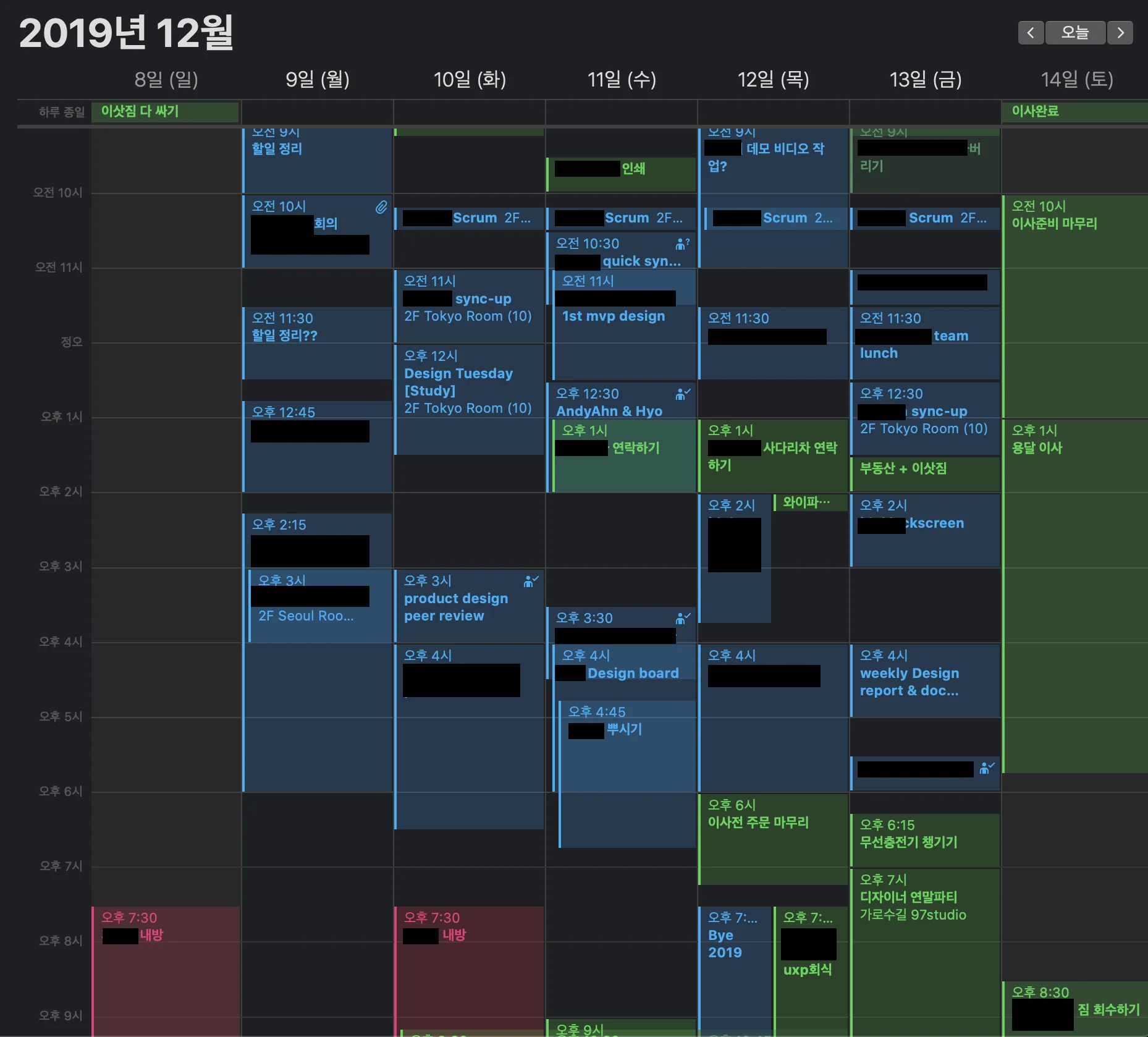
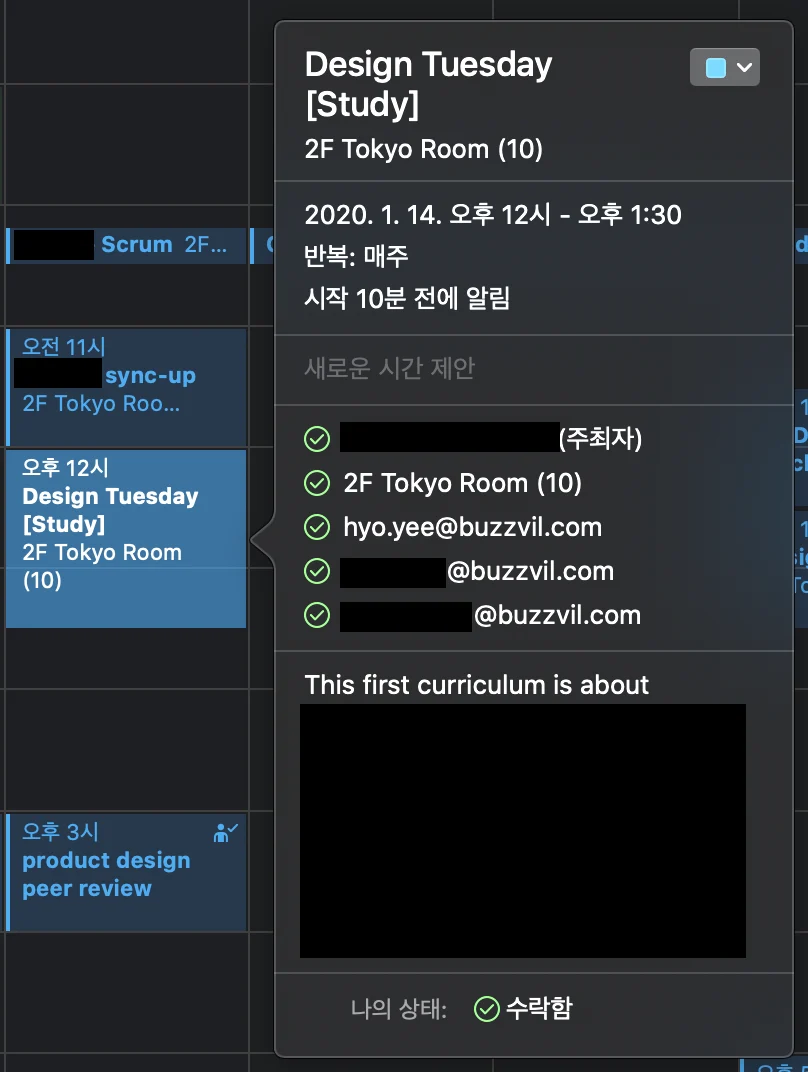
By December 2019, a single week looked enormously complicated. Here is what changed:
- I connected
Google CalendartoApple Calendar.
- I can use and edit the same synchronized schedule on different platforms depending on the situation.
- I
share my schedulewith other people.
- Managing and sharing personal and work events by the hour makes conversations about time much more effective.
- I no longer ask everyone for available meeting times one by one. I inspect members' calendars and invite them directly.
- I manage broad categories such as
work,personal, andexternal events.
- This is extremely convenient when coordinating company or project-group schedules.
- Color and grouping make each event's category immediately visible.
- I changed from
monthlytoweeklyscheduling.
- As the screenshot shows, I can manage events at a detailed hourly level.
- It also suits agile weekly sprints.
- I began properly using features such as
recurring events,private events, andvacation schedules.
2018 vs. 2019
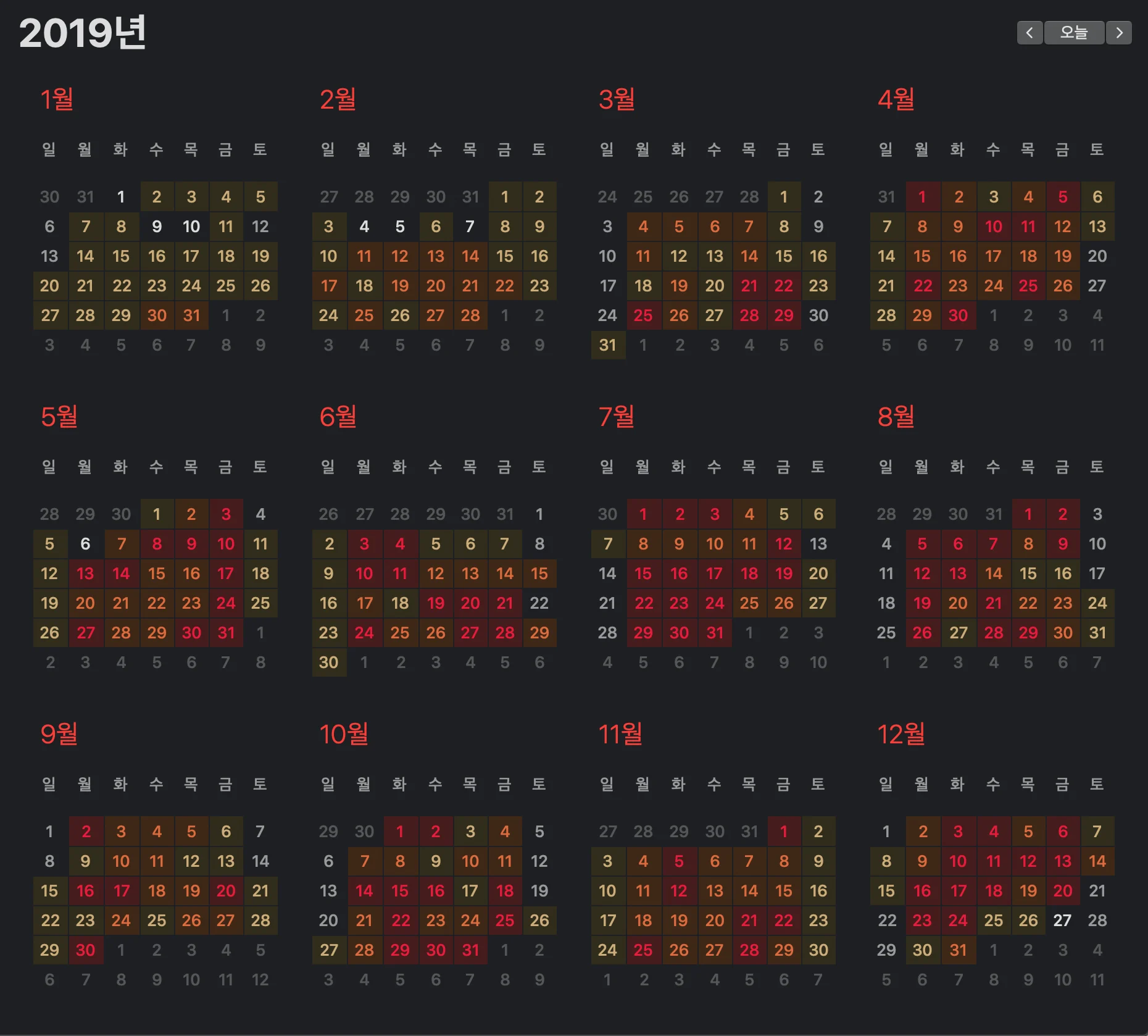
Apple Calendar's year view outlines each date based on its number of events:
- No square: a day with no events
- Orange square: a moderate one to five events
- Red square: six or more events
I used that view to compare 2018 and 2019. The broad insights were:
- There were far more recorded events in 2019. → I recorded and managed my time in greater detail than in 2018.
- Both years had more events in the second half than the first. → Did my New Year's goals require more scheduling later on?
Below are the public events I could extract from the calendar, organized by month.
January
- Wrapped up and left my previous job
- Finished freelance work
- Portfolio
- Prepared for a new role
February
- Joined Buzzvil
- Began using Figma
- Began using Google Calendar
- OKRs
- Started a design × development study group
March
April
- Worked hard
May
- Improved Phantom, Buzzvil's design system
- Started design-team peer reviews
- First participated in Dodo
June
- Joined an external design community
- Hosted an internal motion-design workshop
July
- Launched Honeyscreen for iOS
August
- Won an award in a Buzzvil promotional-video competition
- Launched Buzzvil Quiz Time
- Hosted an internal motion-design study group
September
- Renewed the Buzzvil website
- Began participating in Dodo as an organizer
- Numbers project
October
November
- Launched Honeyscreen Surprise Gift mode
- Launched Phantom 2.0, Buzzvil's design system
December
- Contributed design to a designers' year-end party
- Moved house, with more planning than before
Closing thoughts
Using my calendar better has made me much more productive. It cannot answer exactly whether I “lived more diligently in 2019 than in 2018,” but I am proud that I learned to treat both my own time and other people's time with more care. In 2020, I want to record more intelligently so I can achieve even more. Thank you for reading.
ⓒ 2020. SangHyo Yee, All Rights Reserved.