A hands-on review of Oopy's Notion-site customization, including HTML, typography, domains, routes, favicons, analytics, chat, monetization, pricing, and the tradeoffs of running a public Notion site through a third-party service.
“Your Notion page becomes a website”
That is Oopy's one-line description. Oopy lets people customize a Notion page they have already built. This article summarizes the strengths and weaknesses I found while using it.
(If you are unfamiliar with Notion, see this page.)
This article is for people who
- Use Notion publicly
- Want to add stronger branding to Notion
- Want to inspect user data for Notion pages
- Want to attach a chat head and receive visitor feedback
Why I adopted Oopy
I run my portfolio site through Notion for three reasons:
- Efficient document-based content writing
- Publishing content on the web without code
- Sharing content quickly through a link
Over several years, I actively used those strengths to create and operate content, but I also found limitations:
- No official custom-domain support
- Difficulty tracking page data
- No custom UI, anonymous comments, buttons, and similar features
I investigated several ways to preserve Notion's powerful writing experience while addressing these gaps. I managed to apply some external services, including a custom domain and Google Analytics, but the methods were unofficial and came from different providers. The result never felt fully satisfying.
Oopy was appealing because it gathered these Notion customization needs in one place.
Three strengths I used
1. Many kinds of customization
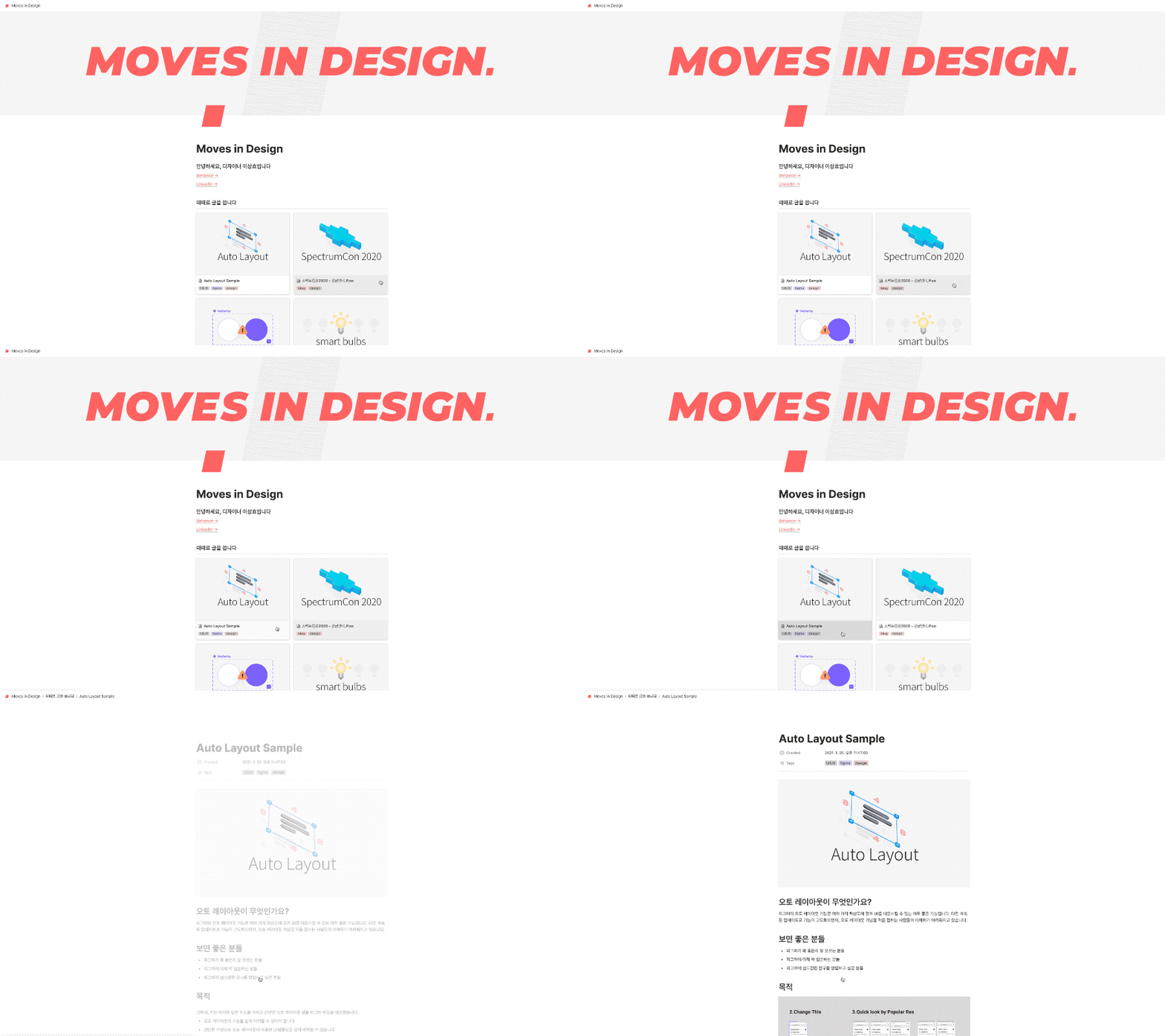
As shown above, Oopy can add HTML blocks to a Notion page. I am not especially comfortable with HTML, but an example block from Oopy let me add a fade-in animation.
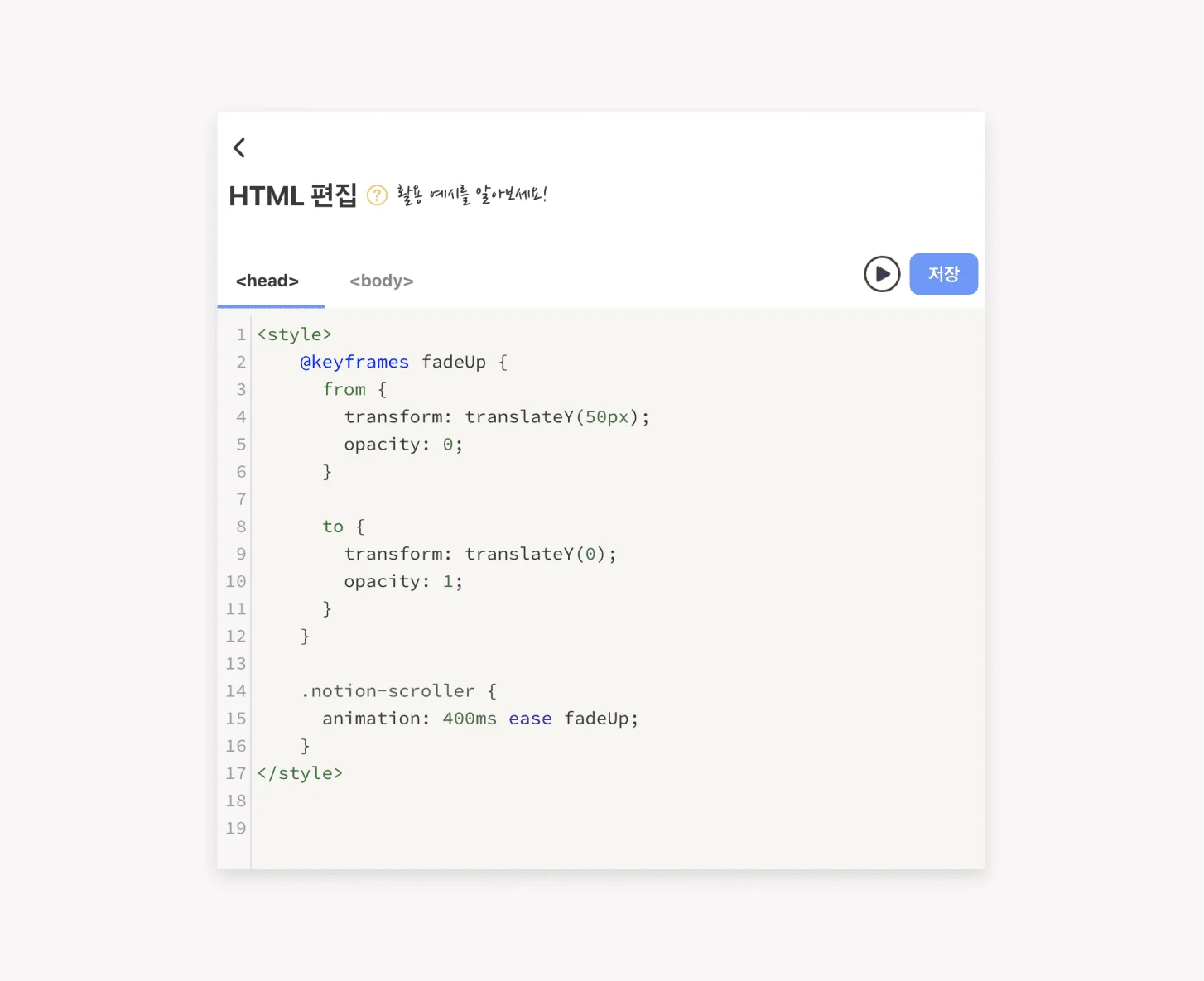
Other options include a dark-mode toggle, font changes, and hiding UI such as search or breadcrumbs. Most style changes require no code.
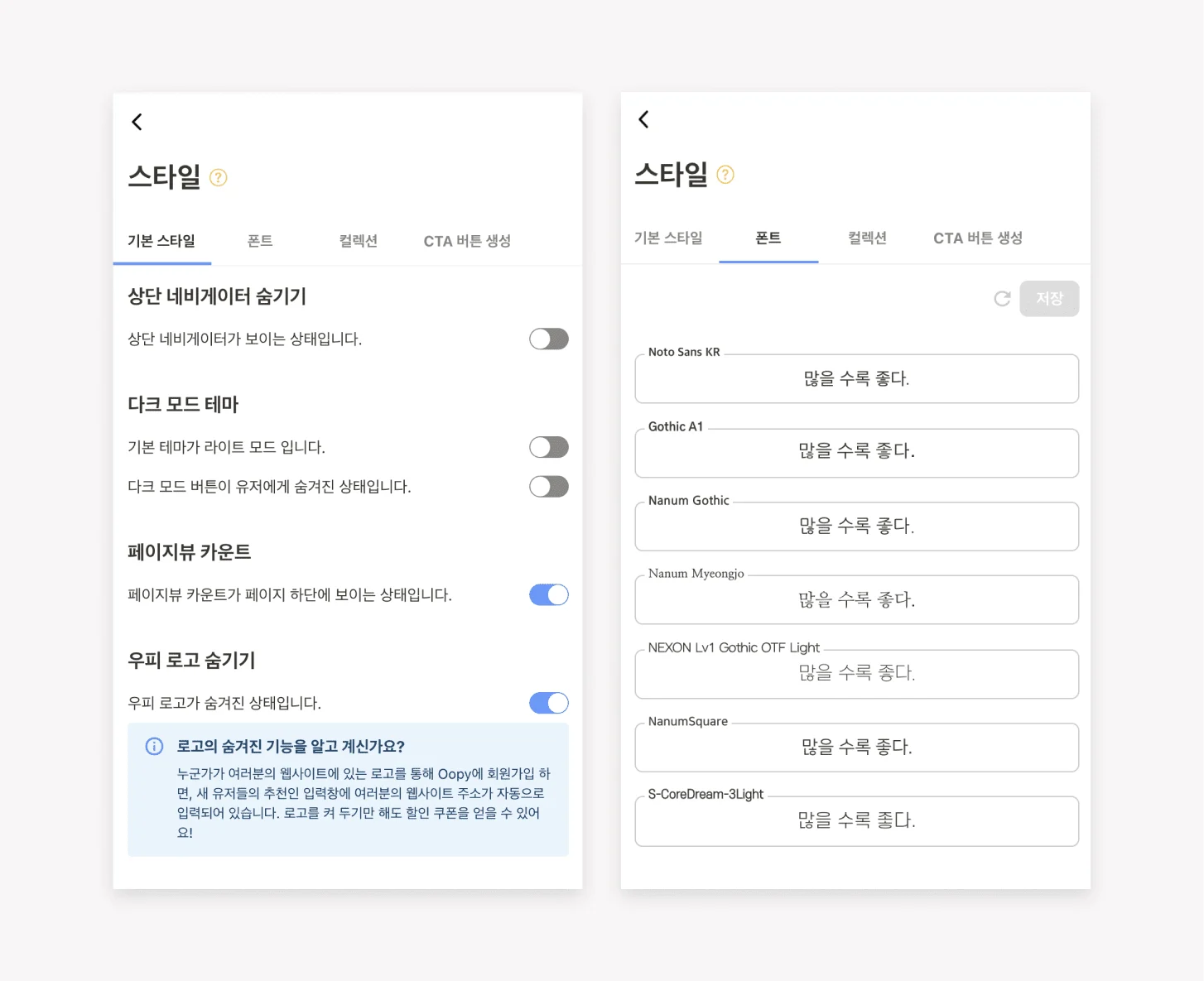
2. Add details to Notion pages
Replace the Notion URL by connecting a domain you already own
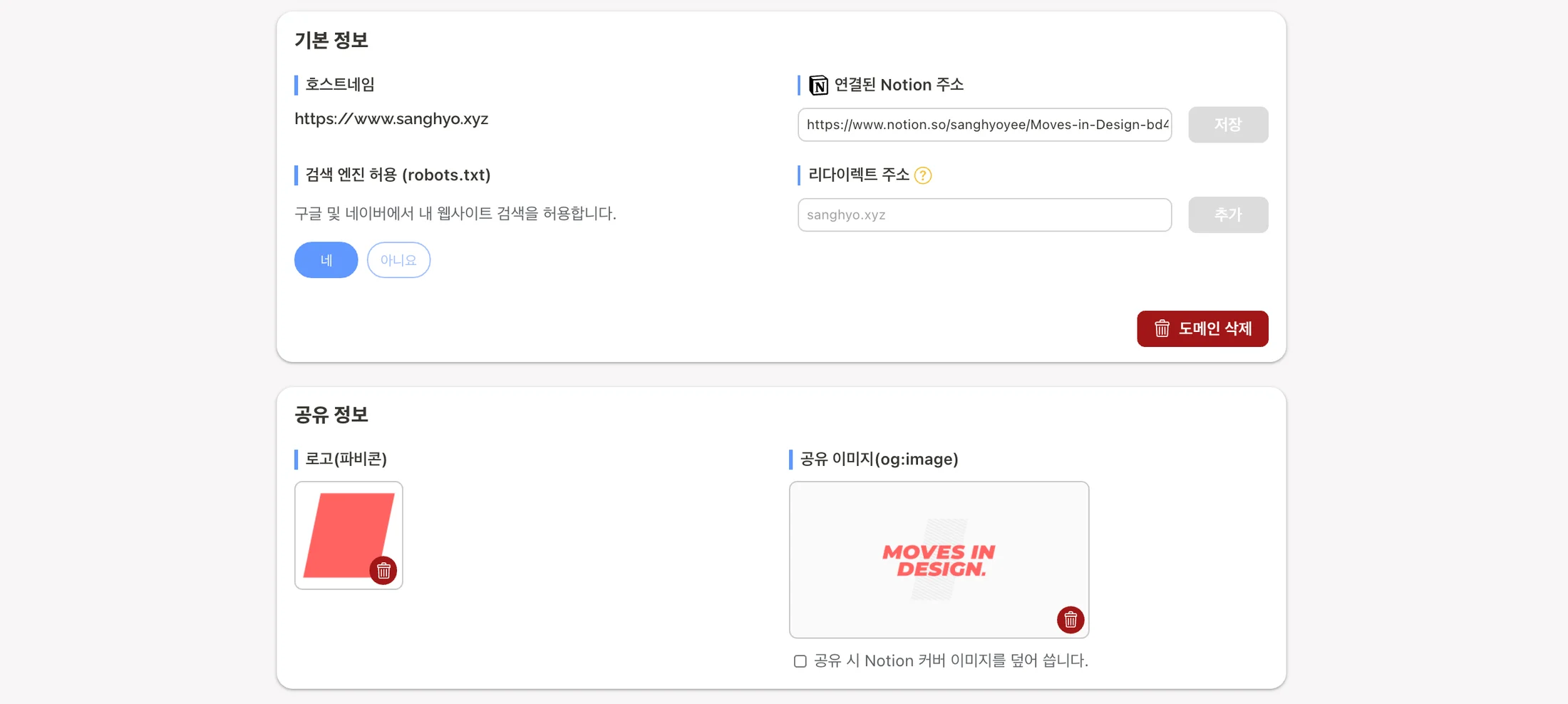
I connected the domain I was already using, www.sanghyo.xyz. Oopy handles details such as the security certificate.
Customize child-page URLs freely
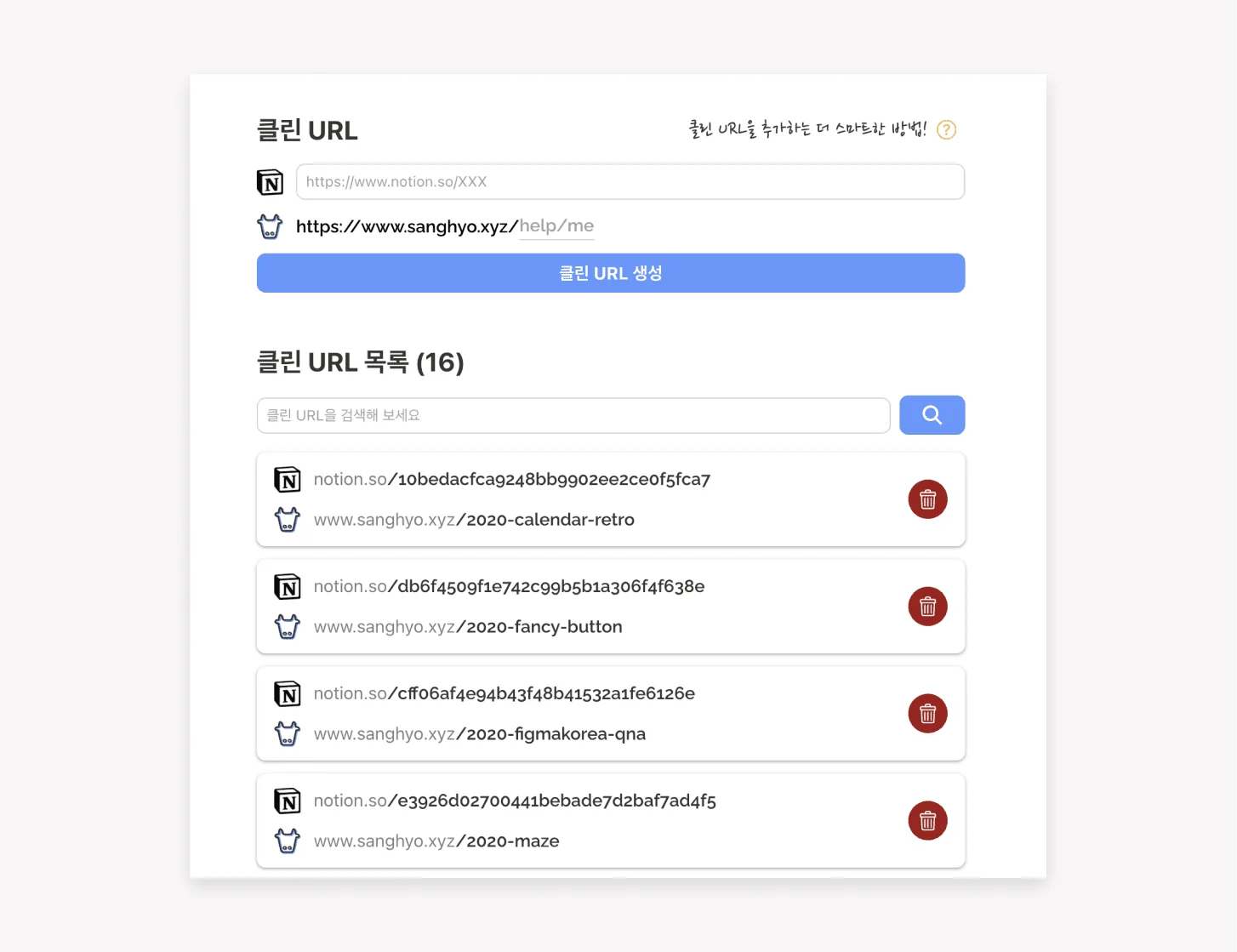
Notion generates a URL for every page. Although it follows rules, the author cannot normally edit it directly, and the result is often long and complex. Oopy's URL customization can make a page easier for visitors to remember and even type directly, which may improve the funnel. It is easier for the author to remember and manage too.
Register a site-wide favicon and Open Graph image

Adding my logo as the favicon keeps it consistent across internal navigation. The uploaded favicon applies whether an individual page has its own icon or none at all.
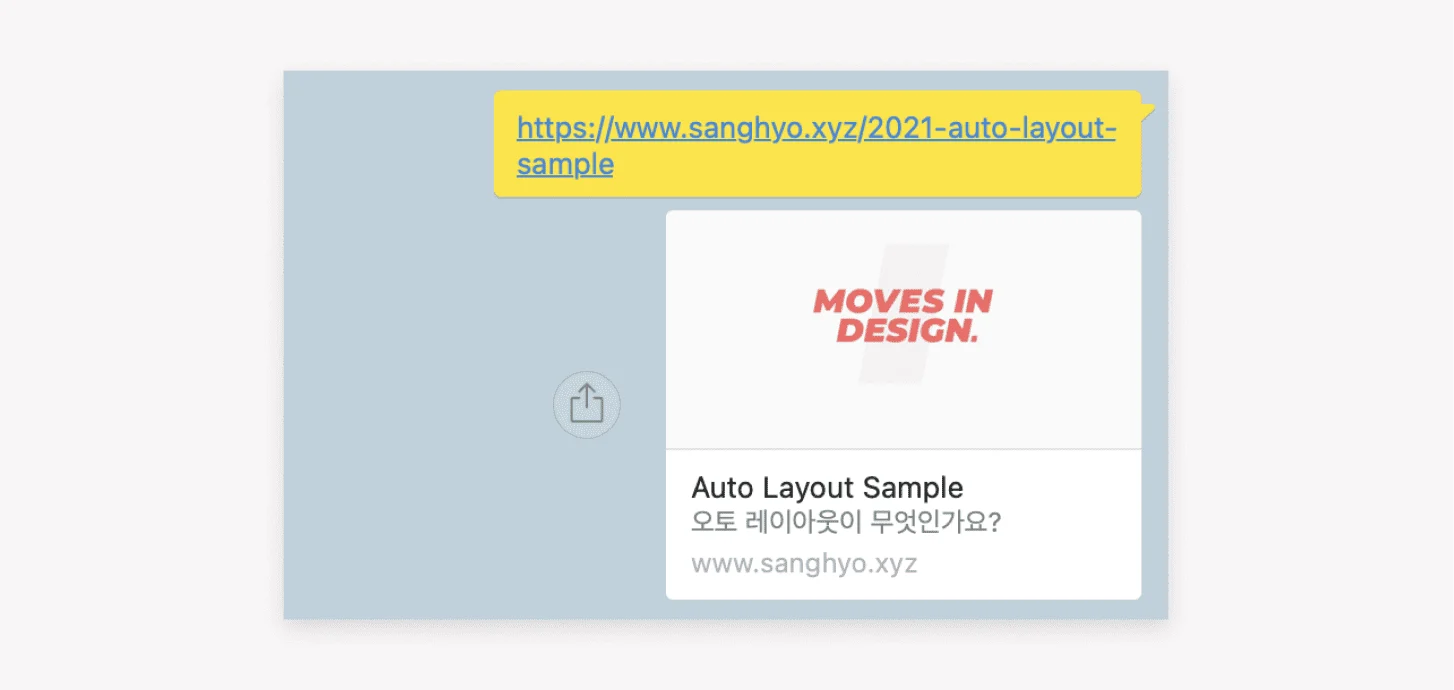
A default Open Graph image, the image shown when a URL is shared, also gives pages without their own image a visual preview.
3. Inspect data easily
Page views are cleaner than in Cloudflare, which I had used before
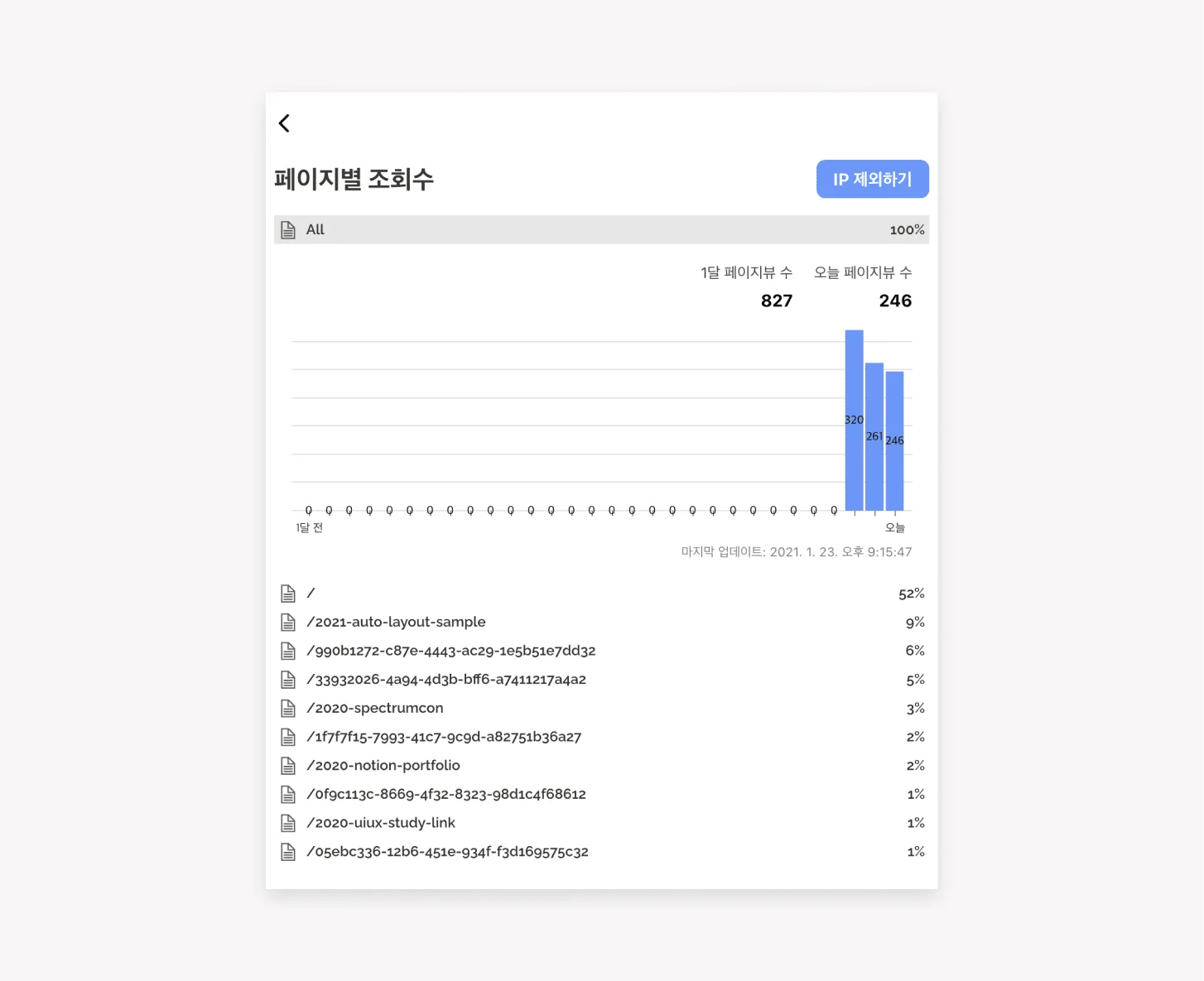
Oopy can exclude the administrator's IP for more accurate results and shows the share of views across child pages. That may reveal secondary effects of specific content, such as visitors arriving through a new article and then browsing other pages.
Connect Google Analytics by pasting its ID into the Oopy console
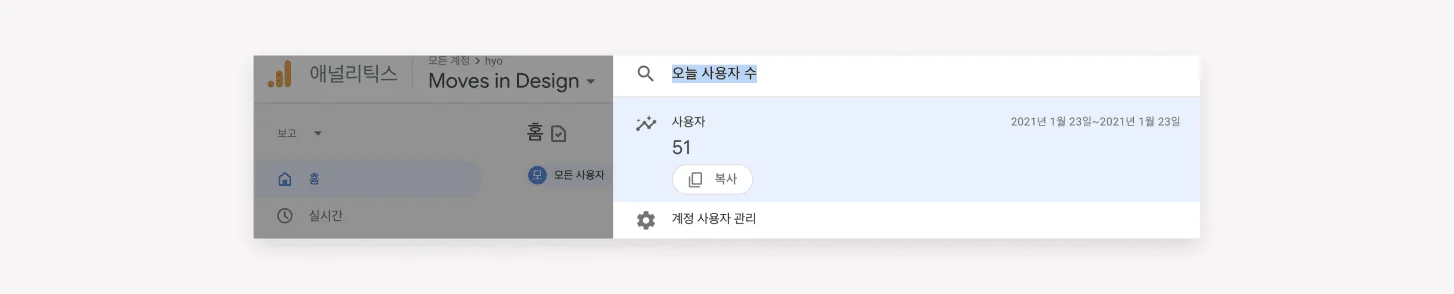
The available information seems more limited than on a conventional website, but it should still be useful. I had only just connected it, so I planned to observe the results over time.
Two strengths I did not use
1. Connect a chat service

Notion does not natively support communication with visitors who are not signed in. Oopy makes it easy to connect Facebook Messenger, Channel Talk, or Disqus. Oopy itself uses Facebook Messenger, which made it easy to ask questions.
2. Monetization
Advertising is very difficult to add to Notion. Oopy can connect Google AdSense, so people interested in monetization may want to explore it. Connecting Notion to Oopy does not automatically qualify a site, however; it still appears to require Google's review (link).
Unexpected details
1. Fixing an Instagram browser bug
Opening a Notion link in mobile Instagram can show a desktop view on the first visit. I do not know why, but the bug disappeared with Oopy.
2. Changes appear after five minutes, not in real time
Oopy describes this as a technical decision needed to operate the service smoothly (link). It is not a major inconvenience, but it is useful to remember when editing HTML or content and sharing a page.
Pricing
KRW 5,900 per month
The first week is free, followed by a paid subscription. The base price is KRW 5,900 per month, with discounts for connecting several domains to one account (link). I use one domain, so my price is KRW 5,900. It had risen from KRW 3,900, but given the features, I still considered it reasonable.
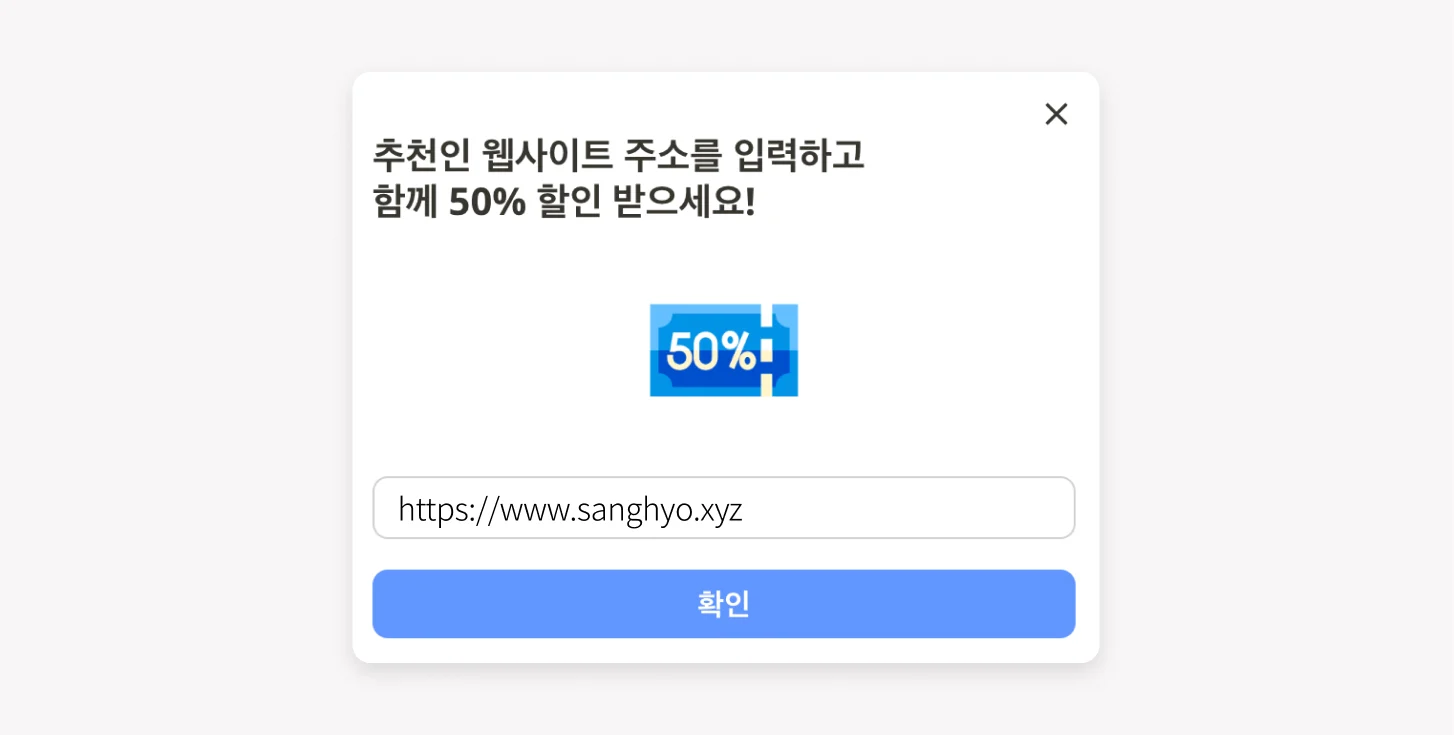
Oopy says that both a new user and the person referring them can receive a 50% coupon. If this article makes you want to try it, paste https://app.oopy.io?referrer=www.sanghyo.xyz into the field shown above. Then we can both use it at a discount.
Overall
For people who want to keep operating a public Notion site, Oopy may solve a real set of problems. Put differently, it may offer less value when Notion is only for personal work. I already ran a page that fit its ideal use case, so despite the subscription, I expected to continue using it for the time being. I hope this article helps.
ⓒ 2021. SangHyo Yee, All Rights Reserved.