Overview
LottieFiles Motion System lets teams build shared libraries of motion assets and values such as easing. The idea was to go beyond exchanging finished animations: teams should also be able to reuse the choices behind them in other work.
As the plugin designer, I focused on how a library created on the web would work inside Figma and After Effects, and how changes made during a project could be published back to the team.
Situation
Before Motion System, we worked on digital asset management, or DAM. We expanded a workspace built primarily around Lottie files to support SVG, GIF, JPG, and PNG, as well as After Effects AEP and Illustrator AI files. Depending on the format, people could store and preview files, download them, or insert them into the tool they were working in.
That brought more of a team's working files into one place. Reusing the values inside an animation was a different problem. Sharing a finished animation doesn't, by itself, make its easing available for the next one.
Motion System was intended to bring those values and assets together in a team library. My responsibility was the plugin experience: helping people use that library in Figma and After Effects, then share their changes.
Problem
A shared library was only useful if it fit the places where designers actually worked. Figma and After Effects handle motion differently.
In Figma, easing belongs to prototype interactions between frames. In After Effects, designers work with keyframes on a timeline. The same easing values needed to be applied to different things, in different ways.
The plugins had to respect that difference. Using a team library shouldn't mean changing a familiar workflow or copying values by hand.
Solution
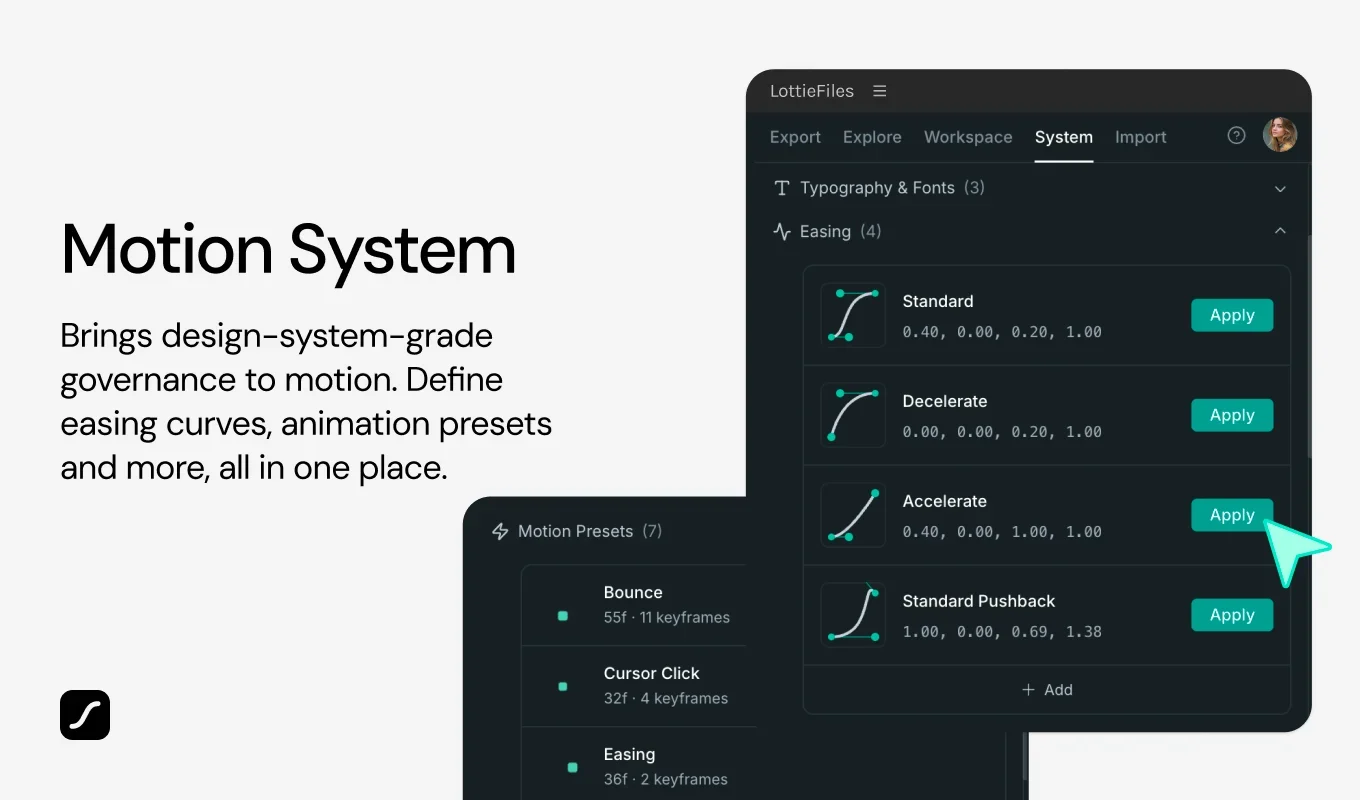
In Figma, we let designers apply easing from Motion System to selected prototype interactions. They could keep connecting frames as usual, then choose an easing value defined by their team.
In After Effects, the same values were applied to selected keyframes. Here, the important work was fitting the library's easing into a keyframe-based editing workflow. I also designed flows for inserting and updating Lottie assets from the library.
The plugins supported more than using what was already there. When a value changed during a project and the rest of the team needed it, designers could publish the library update from the plugin.
Workflows
This wasn't something I could solve within the plugin screens alone. The web experience, Lottie Creator, Figma, and After Effects all worked with the same motion system.
With the Lottie Creator designers, I shared how people work in After Effects: how easing is applied and assets are used in a tool with detailed editing controls. Those conversations helped us decide what each product should support.
With the workflow and dashboard designers, I worked through the boundaries between the web and the plugins. We agreed on which values and assets a plugin needed to load, what people could create or publish there, and which actions should take them back to the web.
Together, we connected the full workflow: create a motion system on the web, apply it through a plugin, and publish changes back when needed.
Results
Enterprise and paid users could create a team motion system on the web and use its library in Figma and After Effects. They could also edit and publish the values they needed from the plugins.
The biggest change was that designers making Figma prototypes and designers animating in After Effects could access the same team library without leaving their own tools. Needs we uncovered during this work also informed how we later supported developers using Motion System in the VS Code plugin.
My focus was how that shared system worked in each tool. The same easing values were applied to interactions in Figma and keyframes in After Effects. My role was to make the team's motion system available without asking designers to give up the way they already knew how to work.